This page explains how to get an API key for KuCoin's transaction history.
Contents
1.Our Support Status for KuCoin
1.1 Types of transactions that can be retrieved
You can check the support status of API endpoints for exchanges on the ”Supported Exchanges & Blockchains” page.
Please refer to the following help page for detailed information on the types of transactions supported.
Our Support Status for KuCoin
If an exchange provides transaction history via API, we will automatically reflect that data. However, if the exchange does not supply certain information through API or if the provided files lack transaction details or are unclear, those transactions cannot be automatically imported. In such cases, please upload the transaction history manually using a Custom File.
How to Create a Custom File
1.2 Time period that can be retrieved
-
Only transaction history from the past 1 years can be retrieved
Due to exchange limitations, only the past 1 years of transaction history can be automatically retrieved. To include older transactions, please upload a file obtained from the exchange or create and upload a Custom File.
-
Please re-sync the API manually at least once every 1 years
Transaction history older than 1 years will not be reflected, so it is necessary to perform regular API re-synchronization within that period after linking.
2.How to get API key
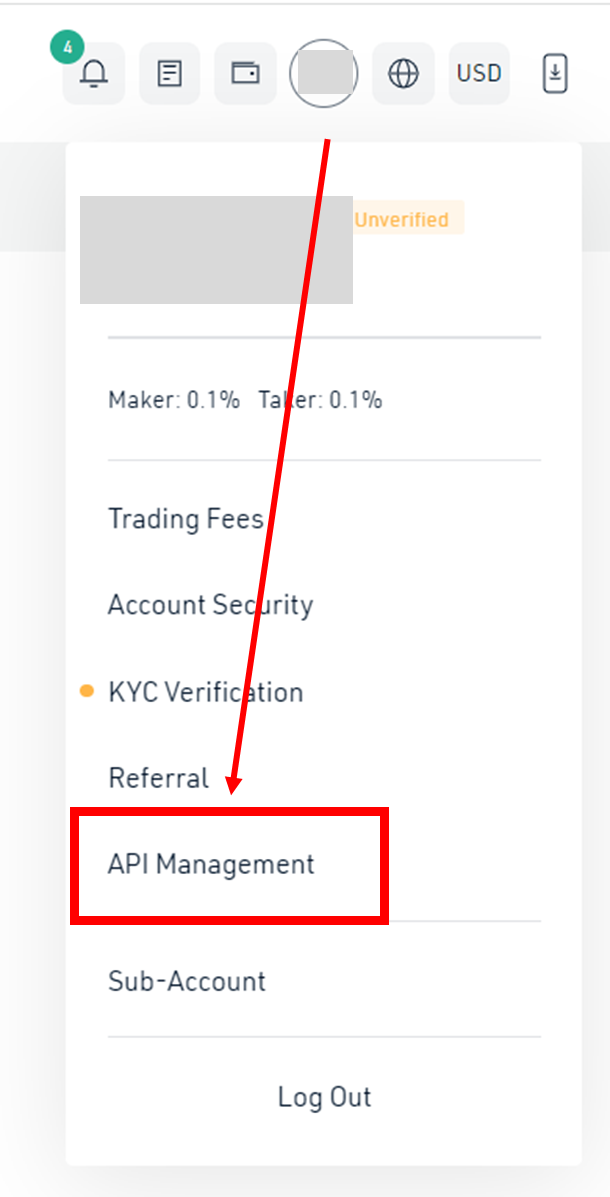
1. After logging in, click the circled icon in the upper right corner and click "API Management".
2. Click on "Create API".
3. Input the API Name field (any name is fine), and the API Passphrase field (this is used when connecting the API to cryptact).
For API Restrictions, select "General".
for IP Restrictions, select "Yes"and enter the below IP. Then click on "Add" and "Next".
52.69.115.51 52.193.138.38 18.179.74.94
4. Two-Factor Authentication
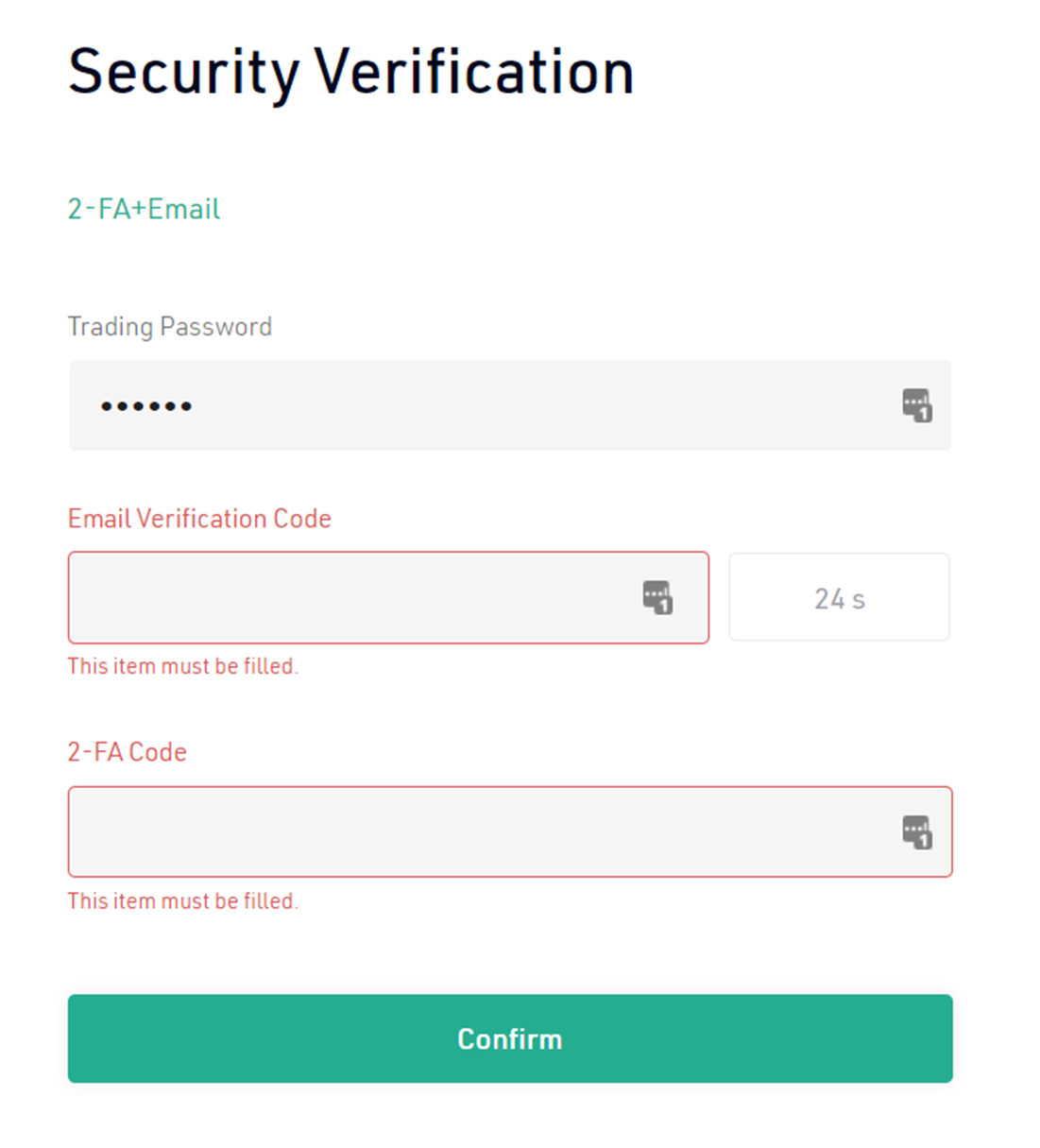
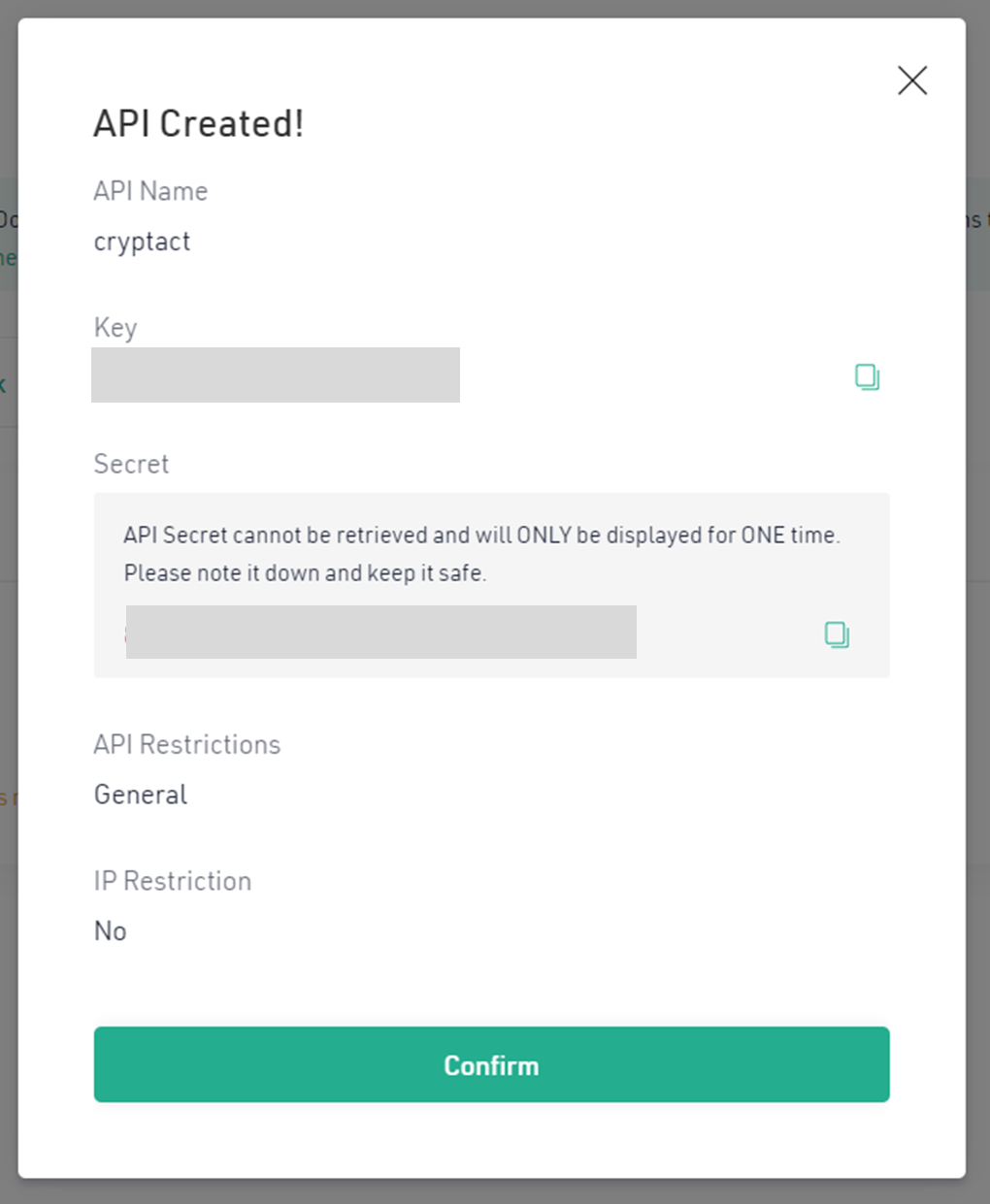
5. After the 2FA verification process, the API is created. Take note of the Key and the Secret displayed on the screen.
* The Secret is displayed only once upon creation. Please copy it and keep it somewhere safe. If you miss this opportunity, you will have to create another API key.
3.How to add your KuCoin API key to cryptact
Please select your exchange on the designated screen, enter your API key and secret key, then click "Submit" to initiate automatic API synchronization. If you conduct new transactions later, you'll need to manually click the "Sync" button to update your transaction history.
How to manage (add/sync) your API keys with exchanges
Disclaimer
Please note that we will not be held responsible for any damages caused by unauthorized use or other accidents due to API connections. When connecting, please be sure to use the API key specified by us.