This page explains how to get an API key for Bitunix's transaction history.
Contents
1.Our Support Status for Bitunix
1.1 Types of transactions that can be retrieved
You can check the support status of API endpoints for exchanges on the "Supported Exchanges & Blockchains" page.
If an exchange provides transaction history via API, we will automatically reflect that data. However, if the exchange does not supply certain information through API or if the provided files lack transaction details or are unclear, those transactions cannot be automatically imported. In such cases, please upload the transaction history manually using a Custom File.
How to Create a Custom File
1.2 Limitations of the Bitunix API integration
- Balances retrieved for the Live View (portfolio) cover spot balances only. Futures balances are not retrieved.
- Earn, copy trading, trading bots (grid), CFD, Bitunix Card, event contracts, and fiat/P2P transactions are not supported. If your history for the requested period contains any of these transactions, the API sync will fail.
2.How to get API Key for Bitunix
1.Log in to your Bitunix account, click the profile icon in the top-right corner, and select "API".
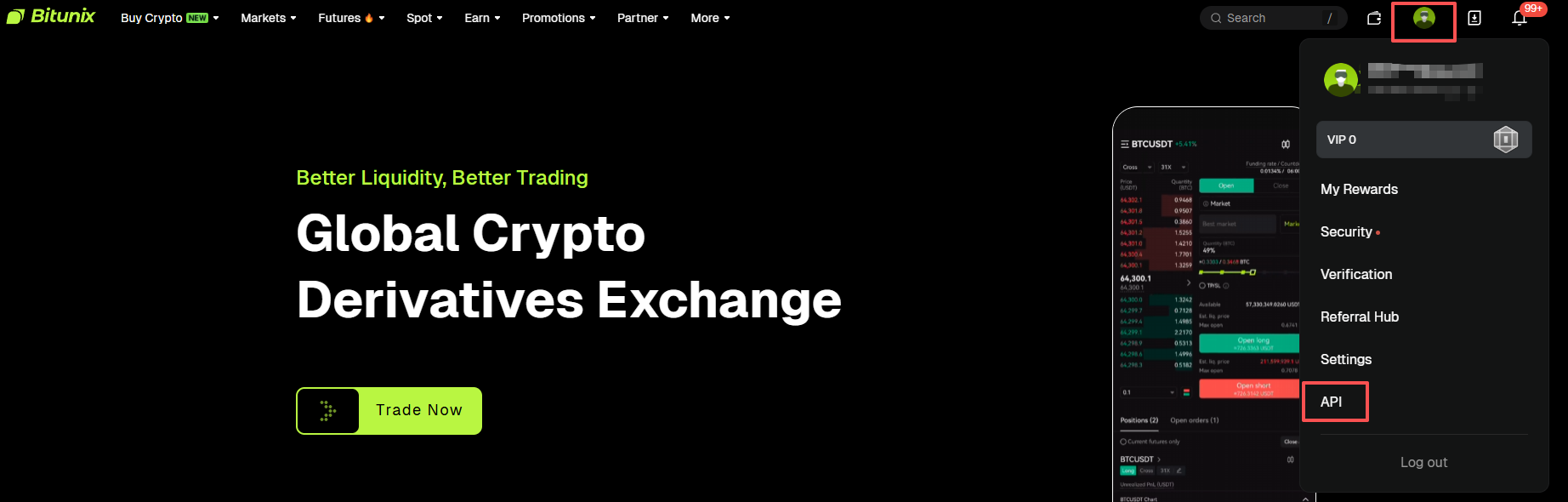
2.On the "API Management" page, click "Create API Key" and configure the following settings:
- Note: Any name of your choice (e.g., "cryptact")
- Purpose: Select "Bind third-party app"
- Permission: "Read-only" (set automatically when you select "Bind third-party app")
3.Enter the verification code(s) and click "Submit".
4.Your API Key and Secret Key will be displayed. Copy them.
⚠️ Important:
Your API Key and Secret Key may not be displayed again after creation. Be sure to copy and securely store them in a safe location before leaving the page.
3.How to add your Bitunix API key to cryptact
Please select your exchange on the designated screen, enter your API key and secret key, then click "Submit" to initiate automatic API synchronization. If you conduct new transactions later, you'll need to manually click the "Sync" button to update your transaction history.
How to manage (add/sync) your API keys with exchanges
Disclaimer
Please note that we will not be held responsible for any damages caused by unauthorized use or other accidents due to API connections. When connecting, please be sure to use the API key specified by us.