This page explains how to get trade history file from Cryptopia.
【For those who have completed the file download.】
When uploading the downloaded files to cryptact, please upload them in order from the oldest transaction date. For more details, please refer to the help page below.
Contents
1.Our Support Status for Cryptopia
You can check the types of files supported by cryptact on the "Supported Exchanges & Blockchains" page. Please click on the relevant exchange to view the details.
- Caution: NZDT (NZed) isn't supported
Currently we don't support NZDT. Please see "Custom File" how to handle this.
If the uploaded file contains transaction details that can be interpreted by cryptact, the data will be automatically reflected. However, due to the specifications of certain exchanges, some files may lack transaction histories or contain unclear information, making automatic processing impossible. In such cases, if the transaction history is not supported via API or file upload, we kindly ask you to upload the data using a Custom File.
2. How to download Trade History from Cryptopia
1. Choose "History" under "Exchange"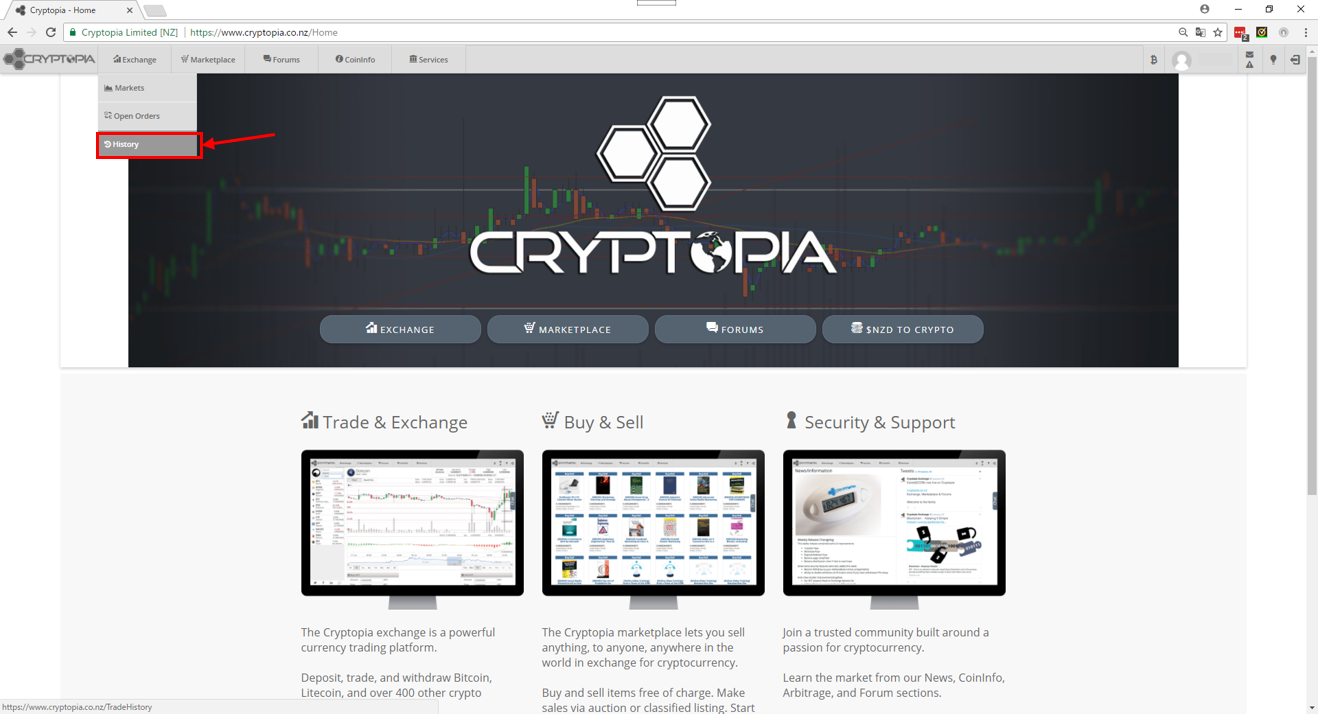
2. Choose "Trade History" from the menu on the left.
3. Click the icon to download CSV.
3. How to Upload Cryptooia Files to cryptact
After downloading the trade history, please upload it via the upload screen.