Logo
English (United States) 日本語
How can we help?
  1. Cryptact Help Center
  2. For Tax Accountants
  3. Common Questions (For Tax Accountants)

How to Add a Customer in the Accountant Plan

Avatar
Support(K.H)
September 01, 2026 05:33

This page explains how to add clients under the Tax Accountant Plan.


1.After logging in, click on "CUSTOMER".



2.Click on "View all".



3.Click on "Add Customer".



4.Please enter a name of your choice and click ""Add Custmer.
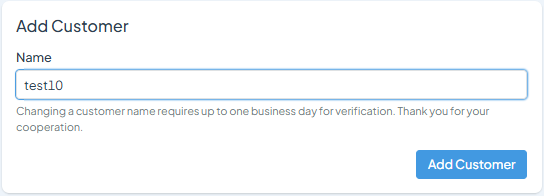


5.Review the plan, and if everything looks correct, click "Add

Custmer".


▼You can check the status of each customer using the search function in the customer list.


What is cryptact?

cryptact can help you organize, reconcile and prepare your cryptocurrency taxes.
Upload your transaction history, link your exchanges via our API support, enter your DeFi wallet addresses to automatically pull blockchain transactions.

Try it free from here!

Now Available: Indian Tax Calculations

Tax calculation for India is now supported on cryptact! Simply import your trade history and let us take care of the rest for your tax filing needs. Click here for more details and to watch our step-by-step video guide.

Articles in this section

  • Tax Accountant: Member Invitations and Roles
  • Tax Accountant: How to Grant Customers Login Access
  • How to Add a Customer in the Accountant Plan
  • How to Renew a Customer in the Accountant Plan
  • How to Rename a Customer in the Accountant Plan

© pafin Inc.